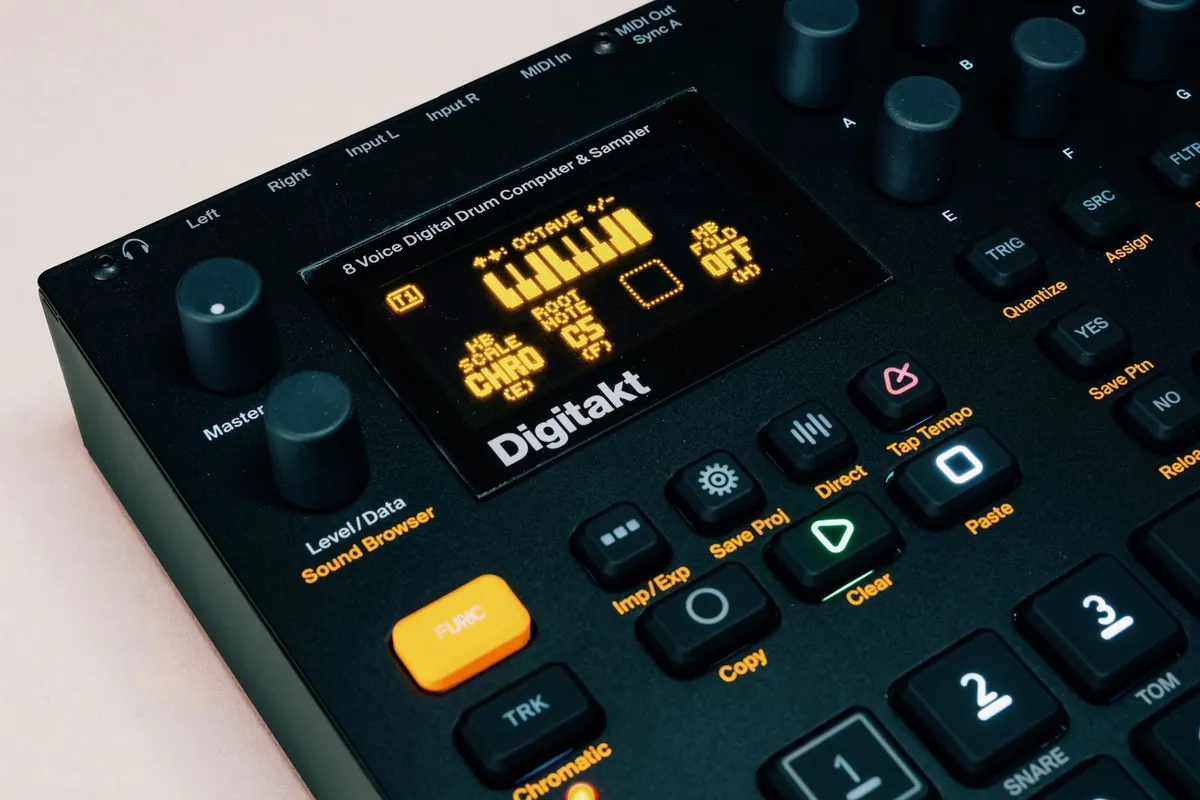
The first drum machine you buy tends to teach you something about yourself. Spend an evening with a Digitakt and you might stop reaching for the mouse altogether. Spend an evening with a Drum Rack full of samples and you might wonder why anyone would want another box on the desk. Both reactions are honest, and neither is wrong. What matters is which one matches how you actually work when the arrangement is half-finished and the deadline is close. Here is how the two approaches differ in practice, and how to pick the one that will still be earning its keep in a year.
What your hands need to do
Sequencing is a physical act before it is a musical one. A hardware step sequencer gives you a row of buttons and a knob per function: press a step, twist the decay, hear the change. There is no window to find, no plug-in to open, no track to arm. That directness is the whole appeal, and it is why so many people write differently on a box than they do on a screen.
Software works in the opposite direction. You get unlimited undo, a piano roll you can zoom into, automation drawn to the millisecond, and the ability to copy a four-bar loop across eight minutes of arrangement in two clicks. If your ideas arrive as edits rather than performances, that is not a compromise. It is simply the better tool.
If you write by playing patterns in, pads matter more than step buttons. A decent pad controller plus a software drum instrument gets you most of the tactile benefit for a fraction of the cost of a dedicated machine. What you lose is the immediacy of a self-contained box: the fact that a hardware unit is already switched on, already loaded, and already making sound before the computer has finished booting.
Cost, including the parts nobody budgets for
A software drum plug-in is a relatively simple purchase. You buy a licence, download it, and it runs on the machine you already own. A hardware machine is a purchase plus a small ecosystem. Before you commit, work out what else has to arrive with it:
- Inputs. A machine with individual outputs needs somewhere to plug them in. If your interface has two line inputs, you are either recording in mono, tracking one voice at a time, or buying more inputs.
- Cables and connectors. MIDI DIN, TRS, USB, a spare power supply, and a MIDI thru box once you add a second device.
- Furniture and space. A stand, a shelf, or a second desk. Cable runs multiply faster than you expect.
- A case, if it is going anywhere. Even a padded bag adds to the bill.
- Time. Most machines take a few evenings before the shortcuts become muscle memory.
There is a counterweight. Hardware generally holds some resale value, and second-hand prices for well-known units are fairly stable. Software licences are often non-transferable or sell for very little, and upgrade paths can mean paying again later. Hardware also takes load off your processor, which matters if your projects already run close to the limit.
Portability and playing live
For gigs, the honest argument for hardware is fewer points of failure. One box, one power supply, one cable to the house system. A laptop setup means a computer, an interface, a controller, a hub, and whatever the operating system decides to do at 11pm on a Saturday.
Software wins on convenience in other ways. It travels in a backpack, it works on a train, and a borrowed backline at the venue does not care what generated the sounds. If you play improvised sets and need to change the whole setlist between songs, a laptop with everything queued up is hard to beat.
For writing away from the desk, small battery-powered machines have a real advantage: they reward the ten minutes you have rather than the two hours you do not. A laptop can do the same job, but opening it usually means opening a browser too. Know yourself on that one.
Integration is where the decision is really made
Sync and latency are the practical sticking points. Hardware needs clock, whether that is MIDI clock over DIN or USB. A little jitter is normal and usually inaudible; a lot of it turns a tight groove into a sloppy one. If you plan to record the machine into your DAW, decide early whether you want individual tracks or a stereo mix, because that decision dictates how many inputs you need.
Some modern machines stream audio over USB and behave like an audio interface when connected. That is worth checking on the spec sheet before you buy, since it can remove the need for extra inputs entirely.
Software integration is frictionless by comparison. Projects recall exactly as you left them, including every kit, every send and every automation curve. A hardware-heavy workflow tends to mean printing audio if you want the same certainty, which is fine, but it is a commitment you should make deliberately rather than discover halfway through mixing.
The middle path works well for a lot of people: hardware for the voices you care about, software for everything else. Program the beat on the box, record it in, then chop and arrange on screen. You keep the feel and the recall.
Five questions worth answering before you spend
- Where do your ideas currently stall: at the first pattern, or at the arrangement?
- Do you finish tracks, or collect loops?
- Will this leave the house for gigs, jams or rehearsals?
- How much desk space and how many free inputs do you really have?
- Can you try the unit for a week, or buy somewhere with a returns window?
If a piece of gear does not change the way you play, it eventually becomes a shelf decoration.
A practical way to choose
Match the tool to the bottleneck rather than to the fantasy. If your patterns sound stiff and you never play anything in by hand, a pad controller paired with a good drum plug-in is the cheapest way to fix that, and it leaves your options open. If you already programme well but lose momentum in menus and automation lanes, a hardware machine that forces quick decisions may be exactly the constraint you need.
Give yourself a simple test. Set a timer for twenty minutes and build a two-bar beat using only software. Note what slowed you down: scrolling for samples, fiddling with clip settings, losing the thread while routing. Then borrow a machine and repeat the exercise. The one that got you to a second idea fastest is the one that suits your workflow, regardless of what either costs.
Buy one thing, use it for a month, and keep a note of what you reach for first. If money is tight, buy used from a seller with a clear returns policy and keep the receipt; if space is tight, resist the urge to solve an inspiration problem with furniture. And if you are unsure, do nothing for a fortnight. Most gear decisions look different after two weeks of working with what you already have.
Photo: Egor Komarov / Pexels